OutlookDataExplainers
How our Outlook works
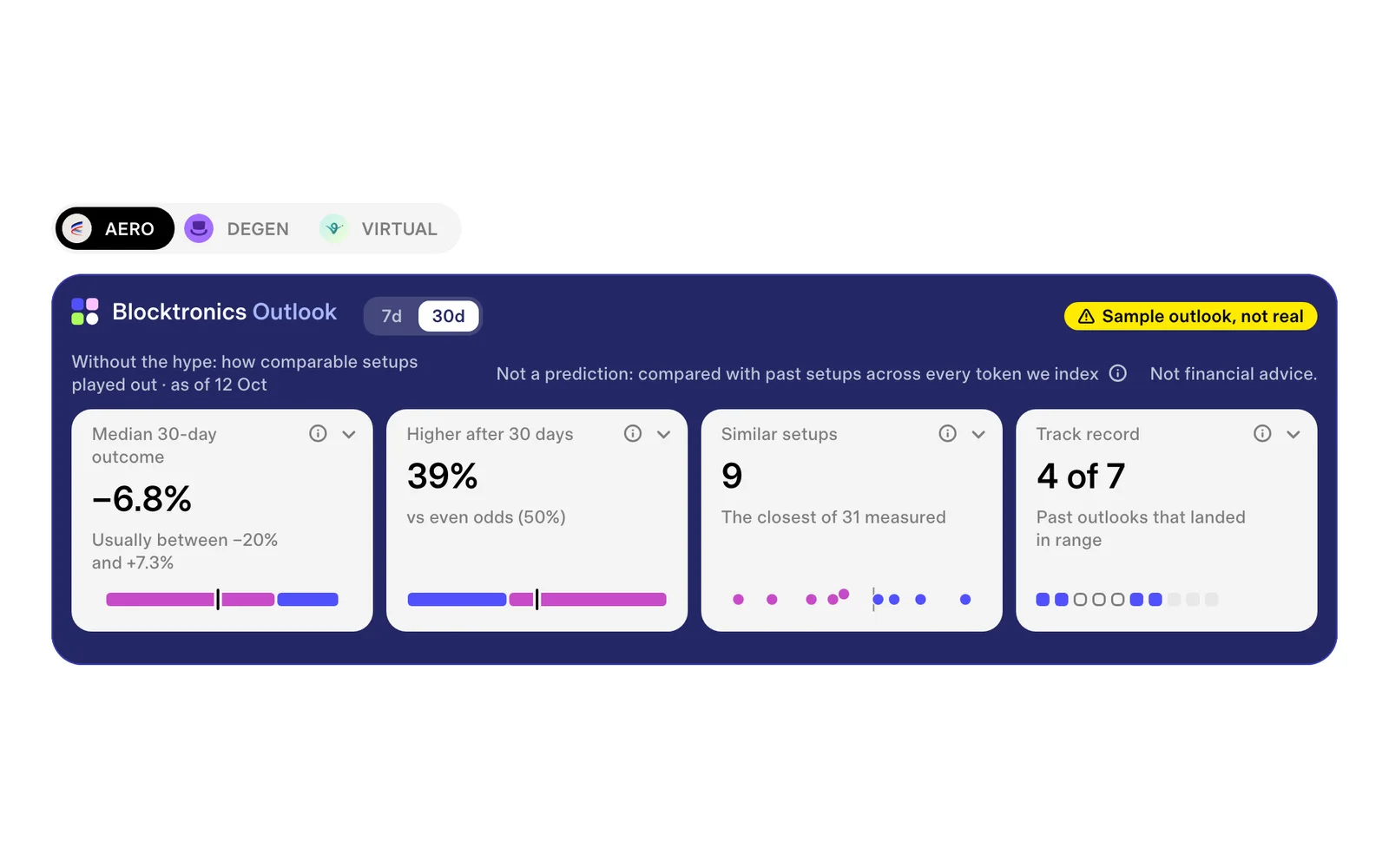
The Outlook shows how setups like a token's today played out before, at 7, 30 and 90 days. What it reads, what it leaves out, and why it is never a promise.
3 min readRead it
How Blocktronics draws a token's holders as a tank of fish, rule by rule, and how to build your own with your AI agent and the Blocktronics MCP.
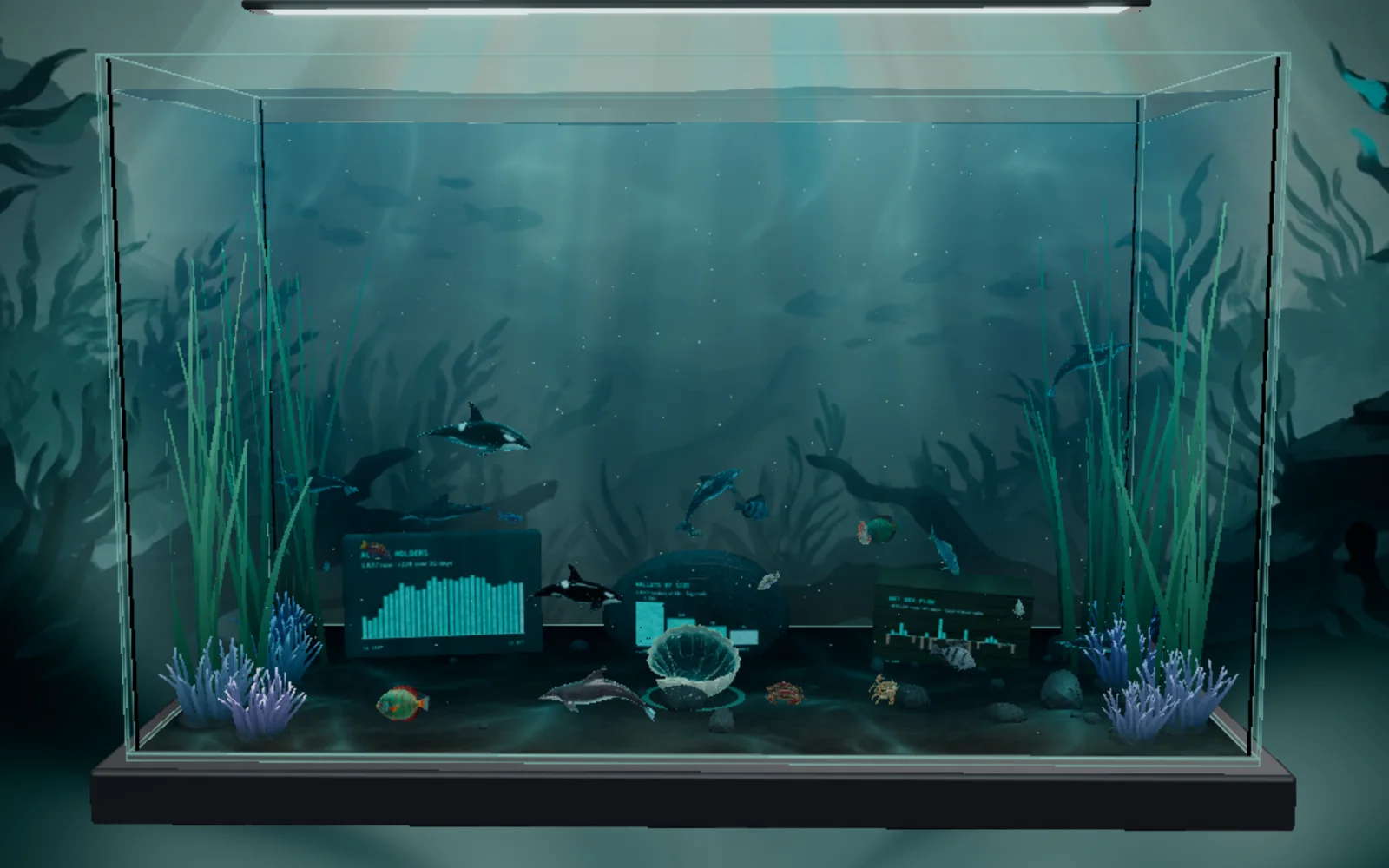
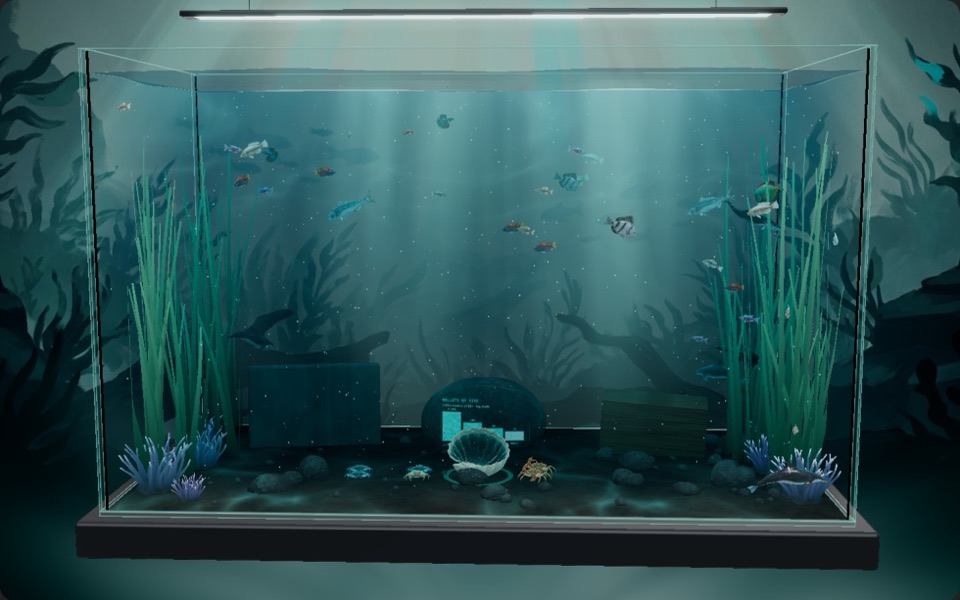
Every fish is a group of real wallets. Pick a token and watch its holders swim in.
Each day the stored read counts a token's wallets at four floors: $5, $1k, $10k and $100k. Take each floor from the one below and you get four bands. Tap one.
Reading DEGEN…
A big band would flood the tank, so one fish stands for a round number of wallets. The tank tries 1, 2, 5, 10, 25, 50, 100 and up, and keeps the first number whose fish fit under the band's cap.
The caps and the round numbers live in one file, so the tank and this page read the same ones.
export const FISH_CAPS = { shrimp: 12, lobster: 9, dolphin: 6, whale: 4 } as const;
/** The share of each cap the lite budget keeps (whales keep at least WHALE_MIN_LITE). */
export const LITE_SHARE = 0.6;
export const WHALE_MIN_LITE = 2;

/** Round numbers of wallets one fish may stand for; the smallest that keeps a cohort under its cap is used. */
export const FISH_UNITS = [1, 2, 5, 10, 25, 50, 100, 250, 500, 1000, 2500, 5000, 10_000, 25_000, 50_000, 100_000] as const;Use the Blocktronics MCP. Call token_series for DEGEN on Base with metrics ["cohorts"], days 7 and format "rows". Give me the latest day where all four bands are present, and the wallets in each.
Bigger bands get bigger animals. A humpback in the whale band is about 5 times the length of a neon tetra in the shrimp band.
$5–1k
A harlequin rasbora, neon tetra or fancy guppy.
$1k–10k
A zebra danio, sunset platy or pearl gourami.
$10k–100k
An angelfish, discus or silver arowana.
$100k+
A bottlenose dolphin, orca or humpback whale.
Each fish is a little bigger or smaller than the next, so a shoal never looks stamped out. Small fish school together and big ones cruise alone.
Colour carries no data in the shoals. The one colour that means something is a cyan rim: a real wallet from the live chain.
Press Play and the site reads the chain itself, over a public node. On Base the first read reaches back 4,000 blocks, then the tank checks for new ones every 5 seconds.
Use the Blocktronics MCP. Call today for DEGEN on Base. Tell me the strongest buying and selling hours so far, and the time the day runs to.
Three pieces of furniture carry charts of the stored read's last 30 days. They are the same cards you can put on any Blocktronics dashboard.
A phone held upright leaves the boulder out, where the floor is narrow.
Use the Blocktronics MCP. Call render_chart for DEGEN on Base with card netflow and show me the image.
If it isn't in the data, it isn't in the tank.
Your agent can fetch the same bands through the Blocktronics MCP and draw a tank of its own. You don't need an account or a key.
Cursor, VS Code, Codex, Grok and the OpenAI API have their own tabs on the MCP page.
token_seriesMCP tool · Token daily seriesTidy daily series for one token, or up to 5 at once (a list in `token`: each token is its own pull, 2 credits each), over the days Blocktronics stores for it (UTC; 60 today): the most recent `days`, or a span from `from` to `to` (ISO days) inside them.{
"token": "DEGEN",
"chain": "base",
"metrics": [
"cohorts"
],
"days": 7,
"format": "rows"
}{}Each row is one settled day. data_freshness names the last one, and a band can be null on a day its floors didn't line up. Skip that day rather than draw it as zero.
Each step is one prompt, or one file to save.
Use the Blocktronics MCP. Call search_tokens for "DEGEN" and pick the token on Base. Then call token_series with metrics ["cohorts"], days 7 and format "rows". From the latest day with all four counts, tell me the day and each band's wallets. If a count is null, say so.
For each band, pick the smallest number from this list that keeps its fish under the cap: 1, 2, 5, 10, 25, 50, 100, 250, 500, 1000, 2500, 5000, 10000, 25000, 50000, 100000. Caps: 12 shrimp fish, 9 lobster fish, 6 dolphin fish and 4 whale fish. Show the band, its wallets, wallets per fish and the fish.
Save this as aquarium.html and open it. It asks the MCP from your browser, which works because the MCP's address lets any page call it. The public API doesn't, so to keep the page offline, have your agent paste its answer into DATA.
<!doctype html>
<html lang="en">
<head>
  <meta charset="utf-8" />
  <meta name="viewport" content="width=device-width, initial-scale=1" />
  <title>Holder aquarium</title>
  <style>
    html, body { margin: 0; height: 100%; overflow: hidden; background: #020814; color: #ffffff; font: 14px/1.45 system-ui, sans-serif; }
    canvas { display: block; }
    #label { position: fixed; left: 16px; bottom: 16px; max-width: calc(100% - 64px); padding: 10px 14px; border-radius: 12px; background: rgba(2, 8, 20, 0.78); }
  </style>
  <script type="importmap">
    { "imports": { "three": "https://cdn.jsdelivr.net/npm/three@0.180.0/build/three.module.js" } }
  </script>
</head>
<body>
  <div id="label">Reading the holder bands…</div>
  <script type="module">
    import * as THREE from "three";

    // 1. The data: your agent's token_series answer (metrics ["cohorts"], format "rows"), pasted here.
    //    Leave it null and the page asks the Blocktronics MCP itself, over HTTP.
    const DATA = null;
    const MCP_URL = "https://blocktronics.xyz/api/mcp/account";
    const TOKEN = { token: "DEGEN", chain: "base" };

    // 2. The rules, as the Blocktronics aquarium has them: one fish per round number of wallets, a cap per band.
    const BANDS = [
      { key: "cohort_shrimp", name: "Shrimp", range: "$5–1k", cap: 12, size: 0.34, color: "#1f6f7d" },
      { key: "cohort_lobster", name: "Lobster", range: "$1k–10k", cap: 9, size: 0.5, color: "#2a93a3" },
      { key: "cohort_dolphin", name: "Dolphin", range: "$10k–100k", cap: 6, size: 0.85, color: "#45b7c6" },
      { key: "cohort_whale", name: "Whale", range: "$100k+", cap: 4, size: 1.5, color: "#86dde6" },
    ];
    const UNITS = [1, 2, 5, 10, 25, 50, 100, 250, 500, 1000, 2500, 5000, 10000, 25000, 50000, 100000];
    const unitFor = (wallets, cap) => UNITS.find((u) => Math.ceil(wallets / u) <= cap) ?? UNITS[UNITS.length - 1];

    async function load() {
      if (DATA) return DATA;
      const res = await fetch(MCP_URL, {
        method: "POST",
        headers: { "Content-Type": "application/json", Accept: "application/json, text/event-stream" },
        body: JSON.stringify({
          jsonrpc: "2.0", id: 1, method: "tools/call",
          params: { name: "token_series", arguments: { ...TOKEN, metrics: ["cohorts"], days: 7, format: "rows" } },
        }),
      });
      const json = await res.json();
      if (!json.result || json.result.isError) throw new Error(json.error?.message ?? "The MCP answered with an error.");
      return json.result.structuredContent;
    }

    // The latest day with all four bands. A null is a gap: skip the day, never draw it as zero.
    function latestDay(answer) {
      const rows = answer.data ?? [];
      for (let i = rows.length - 1; i >= 0; i--) {
        if (BANDS.every((b) => Number.isFinite(rows[i][b.key]))) return rows[i];
      }
      return null;
    }

    // 3. The tank.
    const renderer = new THREE.WebGLRenderer({ antialias: true });
    renderer.setPixelRatio(Math.min(devicePixelRatio, 2));
    renderer.setSize(innerWidth, innerHeight);
    document.body.appendChild(renderer.domElement);
    const scene = new THREE.Scene();
    scene.background = new THREE.Color("#020814");
    scene.fog = new THREE.Fog("#020814", 9, 22);
    const camera = new THREE.PerspectiveCamera(50, innerWidth / innerHeight, 0.1, 100);
    camera.position.set(0, 0.4, 12);
    scene.add(new THREE.HemisphereLight("#ffffff", "#020814", 1.1));
    const sun = new THREE.DirectionalLight("#ffffff", 1.6);
    sun.position.set(2, 6, 4);
    scene.add(sun);
    const floor = new THREE.Mesh(new THREE.PlaneGeometry(40, 40), new THREE.MeshStandardMaterial({ color: "#0a5163", roughness: 1 }));
    floor.rotation.x = -Math.PI / 2;
    floor.position.y = -3.2;
    scene.add(floor);

    // A fish: a body and a tail fin, in its band's colour.
    function makeFish(band) {
      const mat = new THREE.MeshStandardMaterial({ color: band.color, roughness: 0.45, metalness: 0.1 });
      const fish = new THREE.Group();
      const body = new THREE.Mesh(new THREE.SphereGeometry(0.5, 20, 14), mat);
      body.scale.set(1, 0.55, 0.32);
      const tail = new THREE.Mesh(new THREE.ConeGeometry(0.28, 0.45, 24), mat);
      tail.rotation.z = -Math.PI / 2;
      tail.position.x = -0.62;
      fish.add(body, tail);
      fish.scale.setScalar(band.size);
      return fish;
    }

    const swimmers = [];
    function populate(day) {
      BANDS.forEach((band, b) => {
        const wallets = day[band.key];
        if (!wallets) return;
        band.unit = unitFor(wallets, band.cap);
        band.fish = Math.ceil(wallets / band.unit);
        for (let i = 0; i < band.fish; i++) {
          const fish = makeFish(band);
          // Small bands school near the surface, big fish cruise deeper, wider and slower.
          const depth = 1.7 - b * 1.1 + (Math.random() - 0.5) * 0.8;
          const radius = 2.2 + b * 0.7 + Math.random() * 3;
          const speed = (0.5 - b * 0.09) * (0.8 + Math.random() * 0.4);
          swimmers.push({ fish, depth, radius, speed, phase: Math.random() * Math.PI * 2 });
          scene.add(fish);
        }
      });
    }

    // Bubbles rising from the floor, for a little life.
    const bubbles = Array.from({ length: 40 }, () => {
      const m = new THREE.Mesh(new THREE.SphereGeometry(0.04 + Math.random() * 0.05, 8, 6), new THREE.MeshBasicMaterial({ color: "#86dde6", transparent: true, opacity: 0.35 }));
      m.position.set((Math.random() - 0.5) * 14, -3 + Math.random() * 7, (Math.random() - 0.5) * 6 - 1);
      scene.add(m);
      return { m, speed: 0.4 + Math.random() * 0.6 };
    });

    // Each fish swims an oval and faces the way it goes (its nose is +x).
    function place(t, dt) {
      for (const s of swimmers) {
        const a = s.phase + t * s.speed * 0.35;
        s.fish.position.set(Math.cos(a) * s.radius, s.depth + Math.sin(t * 1.3 + s.phase) * 0.15, Math.sin(a) * s.radius * 0.4 - 1.5);
        s.fish.rotation.y = -Math.atan2(Math.cos(a) * 0.4, -Math.sin(a));
      }
      for (const b of bubbles) {
        b.m.position.y += dt * b.speed;
        if (b.m.position.y > 4) b.m.position.y = -3;
      }
    }

    // Reduced motion: one still frame.
    const still = matchMedia("(prefers-reduced-motion: reduce)").matches;
    const clock = new THREE.Clock();
    function frame() {
      const dt = Math.min(clock.getDelta(), 0.1);
      place(still ? 0 : clock.getElapsedTime(), still ? 0 : dt);
      renderer.render(scene, camera);
      if (!still) requestAnimationFrame(frame);
    }

    addEventListener("resize", () => {
      camera.aspect = innerWidth / innerHeight;
      camera.updateProjectionMatrix();
      renderer.setSize(innerWidth, innerHeight);
      if (still) frame();
    });

    // 4. The words: the token, the day and every count, from the answer.
    const label = document.getElementById("label");
    try {
      const answer = await load();
      const day = latestDay(answer);
      if (!day) throw new Error("No day in the answer has all four bands.");
      populate(day);
      label.textContent = "";
      const head = document.createElement("div");
      const name = document.createElement("b");
      name.textContent = answer.token?.symbol ?? TOKEN.token;
      head.append(name, ` holders on ${day.day}`);
      label.append(head);
      for (const band of BANDS) {
        const line = document.createElement("div");
        line.textContent = `${band.name} (${band.range}): ${day[band.key].toLocaleString("en-US")} wallets, ${band.fish ?? 0} fish, one per ${band.unit ?? "–"}`;
        label.append(line);
      }
      frame();
    } catch (err) {
      label.textContent = `No tank: ${err.message}`;
    }
  </script>
</body>
</html>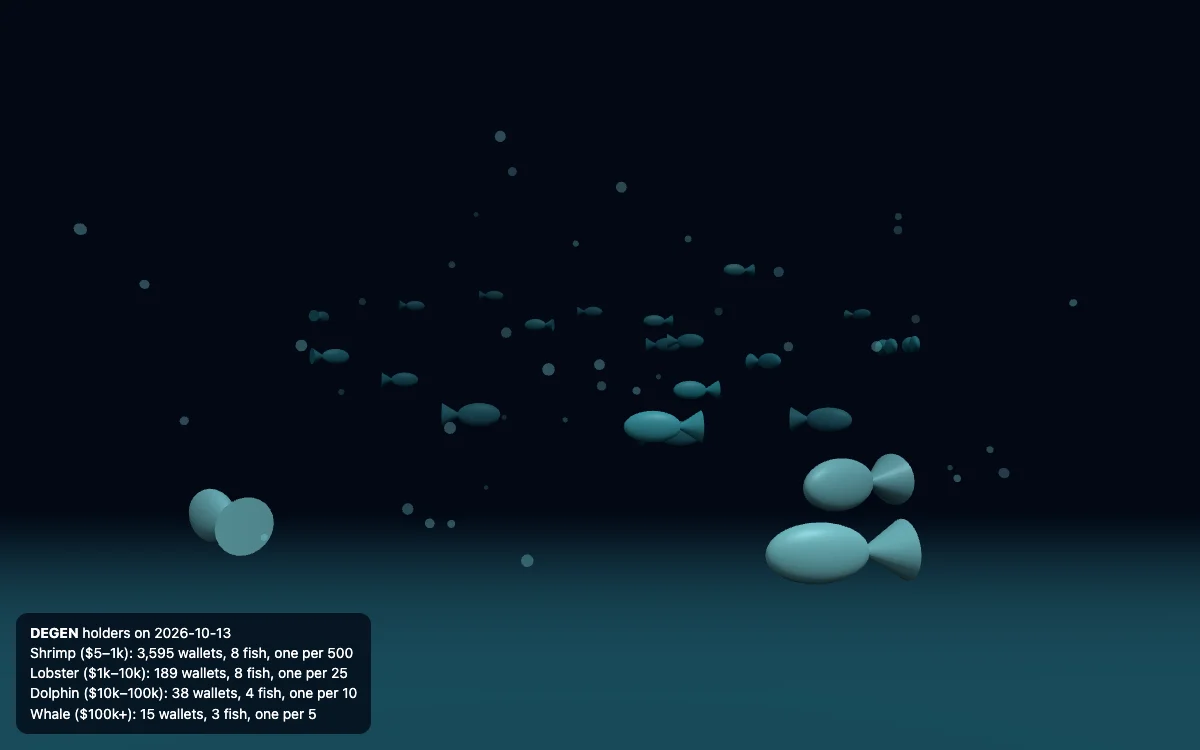
Open aquarium.html and check it against the data. Every band's fish count matches the table from the last step, the day on the page is the day the counts are from, and no null band is drawn as zero fish. List anything that doesn't match.
Every data colour below passed the dataviz checks against its background. The starter uses the dark aquarium.
Change TOKEN to { token: "AERO", chain: "base" }. Every token Blocktronics covers has the same bands.
Whales are few, so raise their cap until each gets its own fish.
Add netflow_usd and paint seven days of bars on a stone, buying days up.
Ask your agent for build_dashboard with the world-aquarium card. It returns a link to the live tank.
Every figure in this article is read live from Blocktronics' public data and carries its day; code numbers come from the code itself
Every token Blocktronics covers works the same way, and none of it needs an account
The Outlook shows how setups like a token's today played out before, at 7, 30 and 90 days. What it reads, what it leaves out, and why it is never a promise.
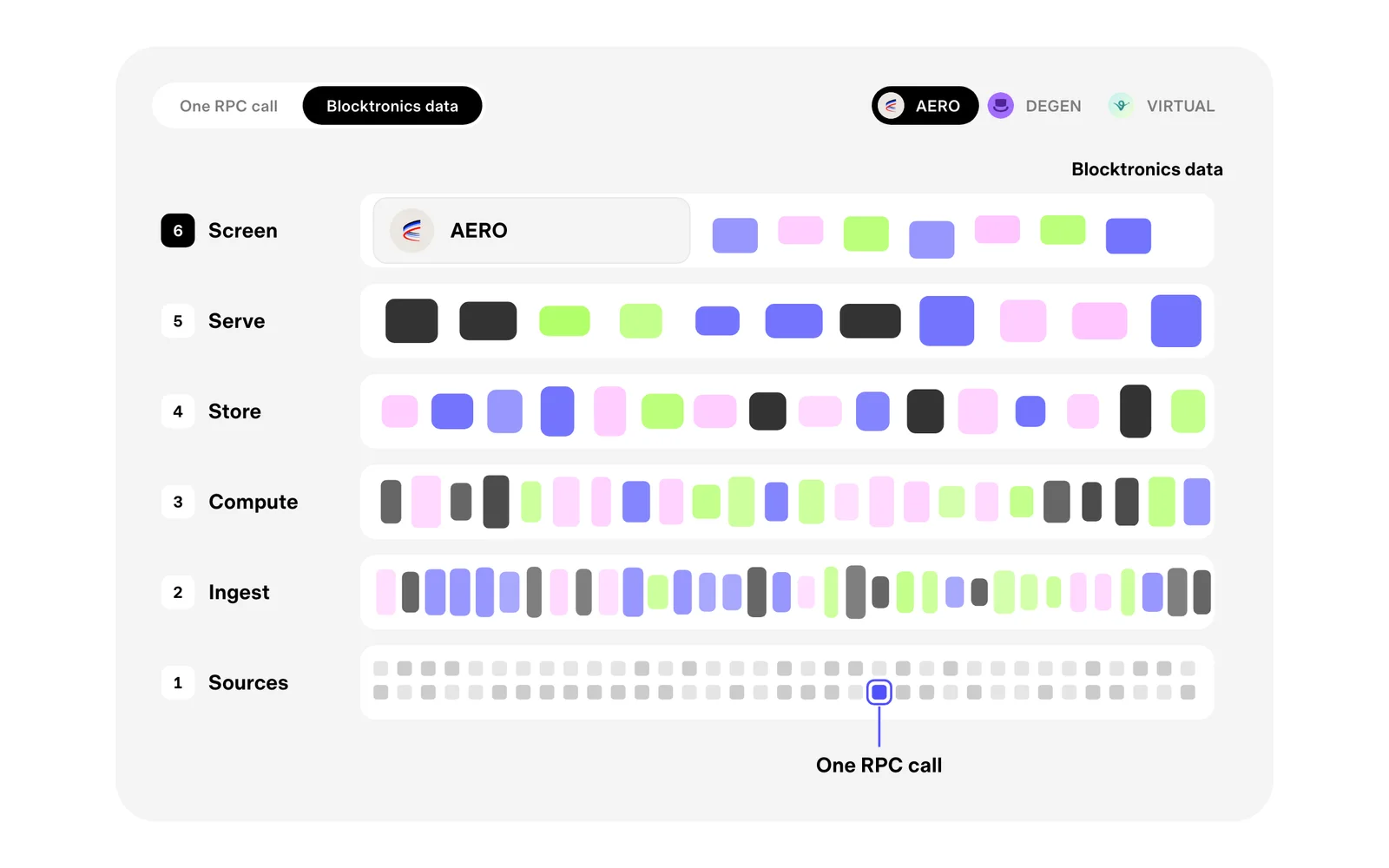
An RPC call asks the chain one question about one moment. Blocktronics data is what you get when a great many answers are put together, kept and read for you.
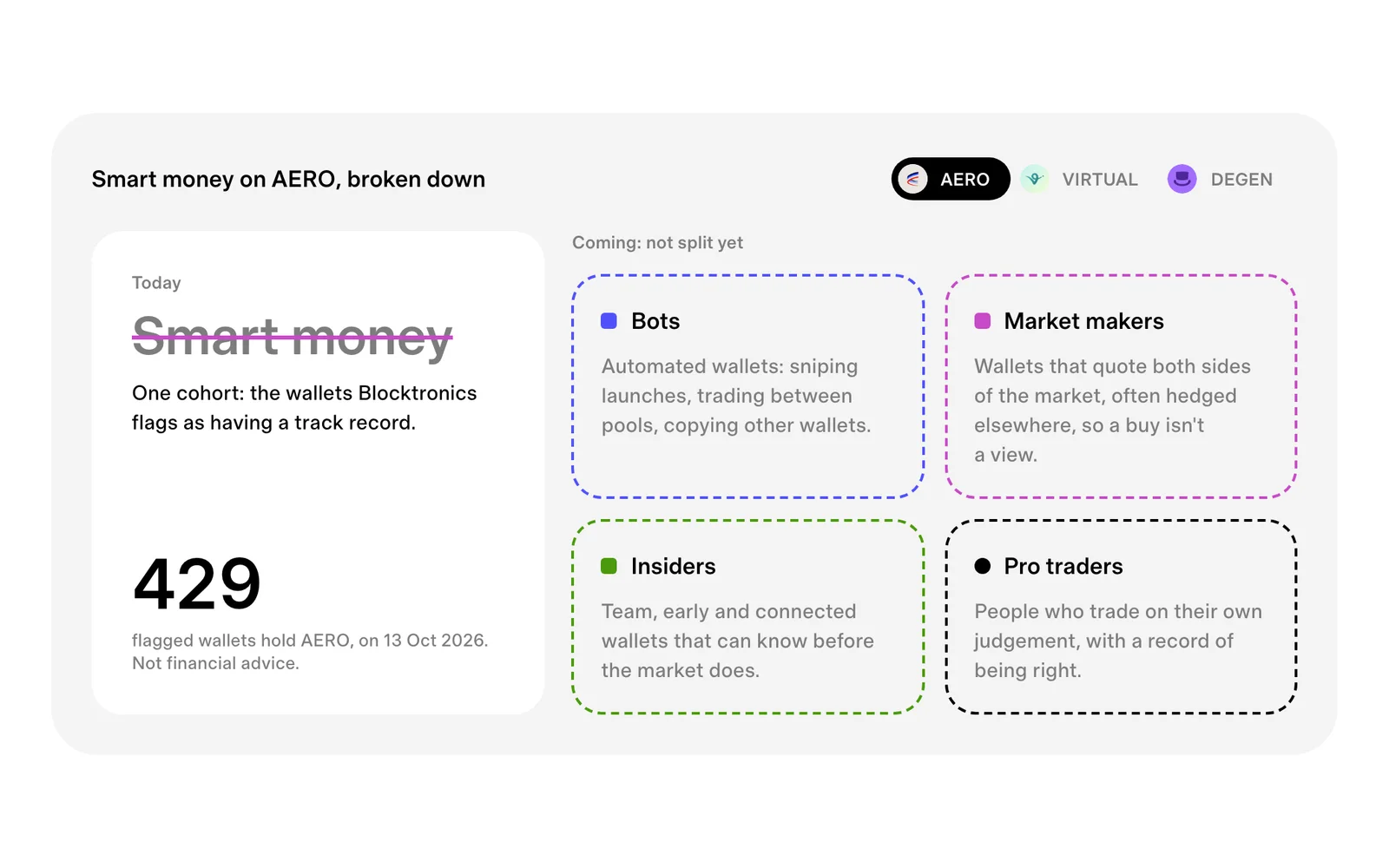
"Smart money" lumps bots, market makers, insiders and pro traders into one word. What Blocktronics shows today, one flagged cohort, and the split that's coming.