The Outlook shows how setups like a token's today played out before, at 7, 30 and 90 days. What it reads, what it leaves out, and why it is never a promise.
Blocktronics3 min read
block outlook
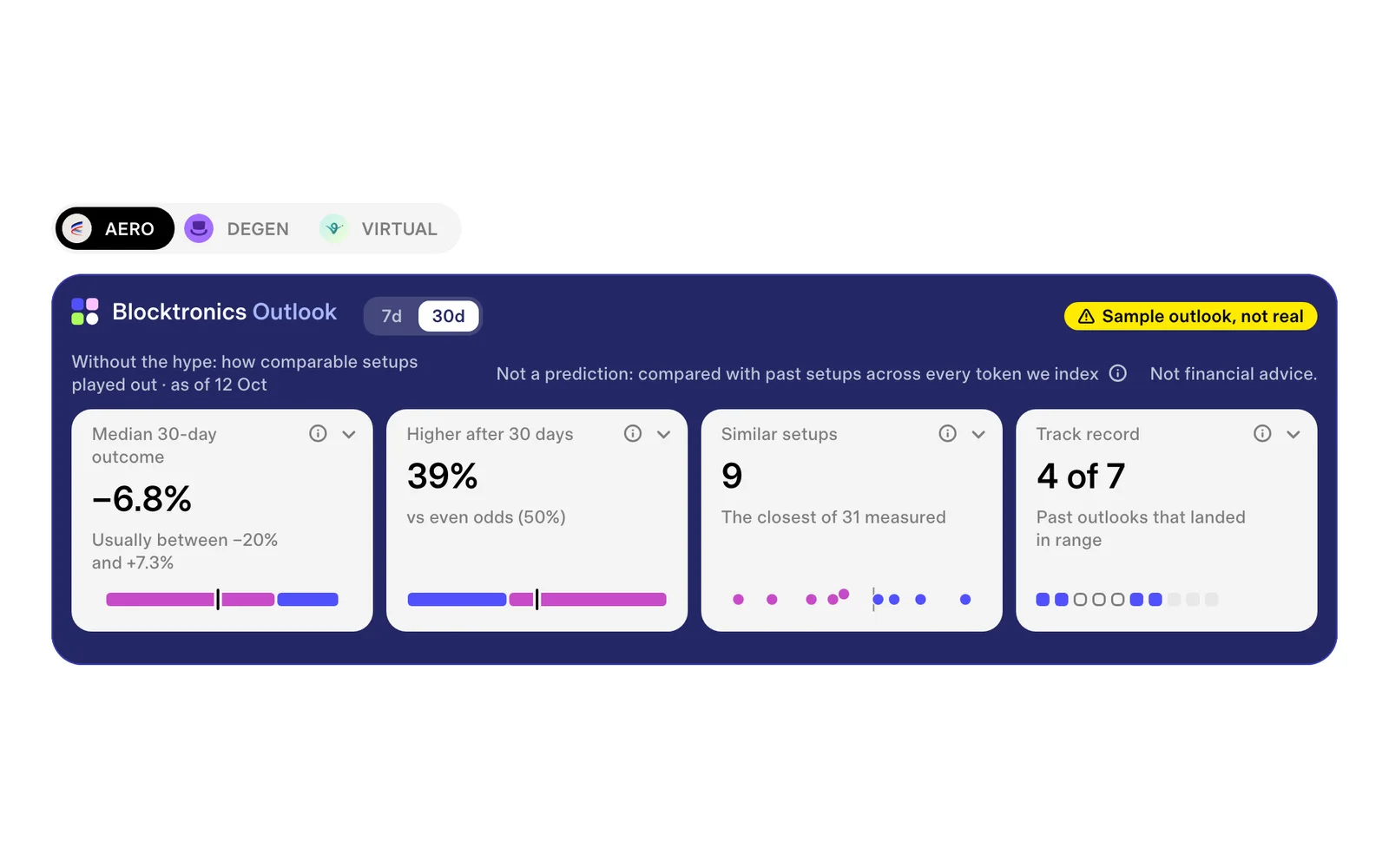
The Outlook band on AERO on Base, as of 12 Oct, drawn on 14 Oct 2026: a development sample, stamped "Sample outlook, not real".
Every token on Blocktronics has an Outlook: how setups like its own played out before. It is the most interesting thing we show, so it is worth being plain about what it is and what it isn't.
01What it does
The Outlook takes a token's setup on the chain today, who holds it, what they paid and how it is being traded, and compares it with every past day of every token the Blocktronics engine has measured. It keeps the setups that looked most like this one and shows what happened to them next, over 7, 30 and 90 days.
The band above is the short version, four tiles:
The median outcome: the middle of where comparable setups ended up.
Higher or lower: how many of them ended higher, against how often any token did over the same stretch.
Similar setups: the closest ones, lined up from the day they looked like this.
Track record: how this has gone for the token before.
How setups are matched and weighed is the engine's own, and we keep it that way: it isn't published, so it can't be copied or gamed.
02Numbers, not chart patterns
The Outlook never looks at the shape of a price chart. There are no trend lines, no flags and no patterns in it. It reads numbers from the chain: wallets, what they paid, what they bought and sold.
That is a choice. Chart patterns are easy to see in hindsight and hard to count on. The chain's numbers are the same for everyone, every day.
Prompt to paste into your agentAsk your agent what the Outlook reads
Use the Blocktronics MCP and read the resource blocktronics://outlook/method.md. In plain words, tell me what the Outlook compares, what it leaves out, and how it says when there is no edge.
In a token's first days, or in a week everyone is talking about it, its price moves on attention more than on anything the chain shows. Comparable setups say the least then.
The Outlook is at its most useful when a token has some history and the noise has died down. That is why it says "Without the hype" on every band.
04Not a promise
No model of markets is right much more than half the time, and ours doesn't claim to be. The Outlook tells you how things went for setups like this one. It doesn't tell you how they will go for this one.
When the comparable setups split about evenly, it says there is no edge rather than leaning one way. Its track record for the token sits beside the rest, so you can see how often it has matched what happened.
05The full card
Each tile opens its full view. On a dashboard, the Outlook is one card with all four.
Your agent can read the same Outlook through the Blocktronics MCP. Connect it from the MCP page.
get_outlookMCP tool · Token outlookThe Blocktronics Outlook for one token: how comparable setups played out, from the Blocktronics engine.
{"token":"AERO","chain":"base","horizon":"30"
}
What comes back
MCP error -32602: Tool get_outlook not found
Prompt to paste into your agentAsk your agent about a token's Outlook
Use the Blocktronics MCP's get_outlook for AERO on Base at the 30 day horizon. Tell me how many comparable setups it matched, the share that ended higher against the background rate, and whether there is an edge. If the answer says it connects soon, say so.
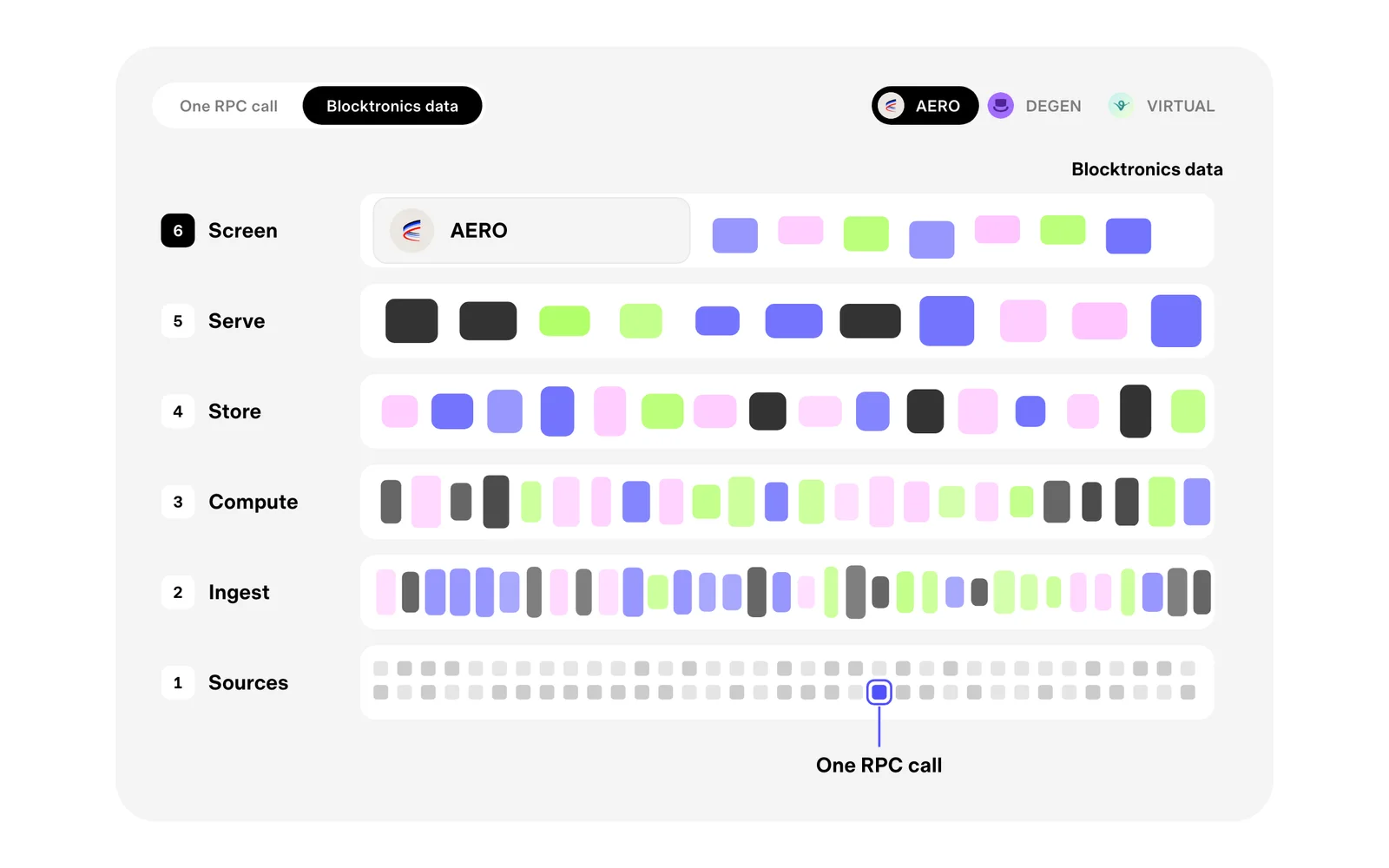
An RPC call asks the chain one question about one moment. Blocktronics data is what you get when a great many answers are put together, kept and read for you.
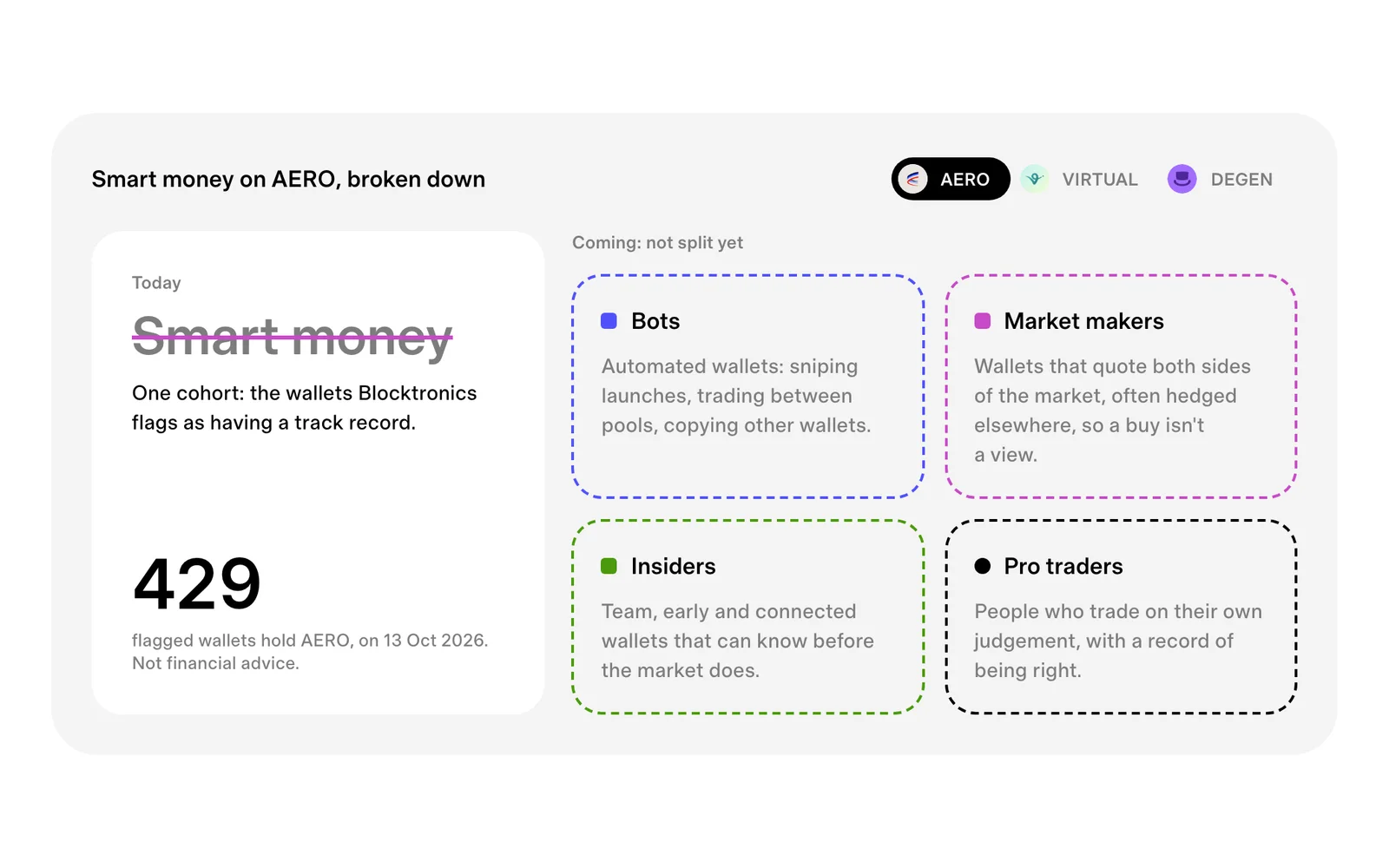
"Smart money" lumps bots, market makers, insiders and pro traders into one word. What Blocktronics shows today, one flagged cohort, and the split that's coming.